Features
Advanced features at your fingertips, no additional charge.
Data, the Way You Want to See It and Use It
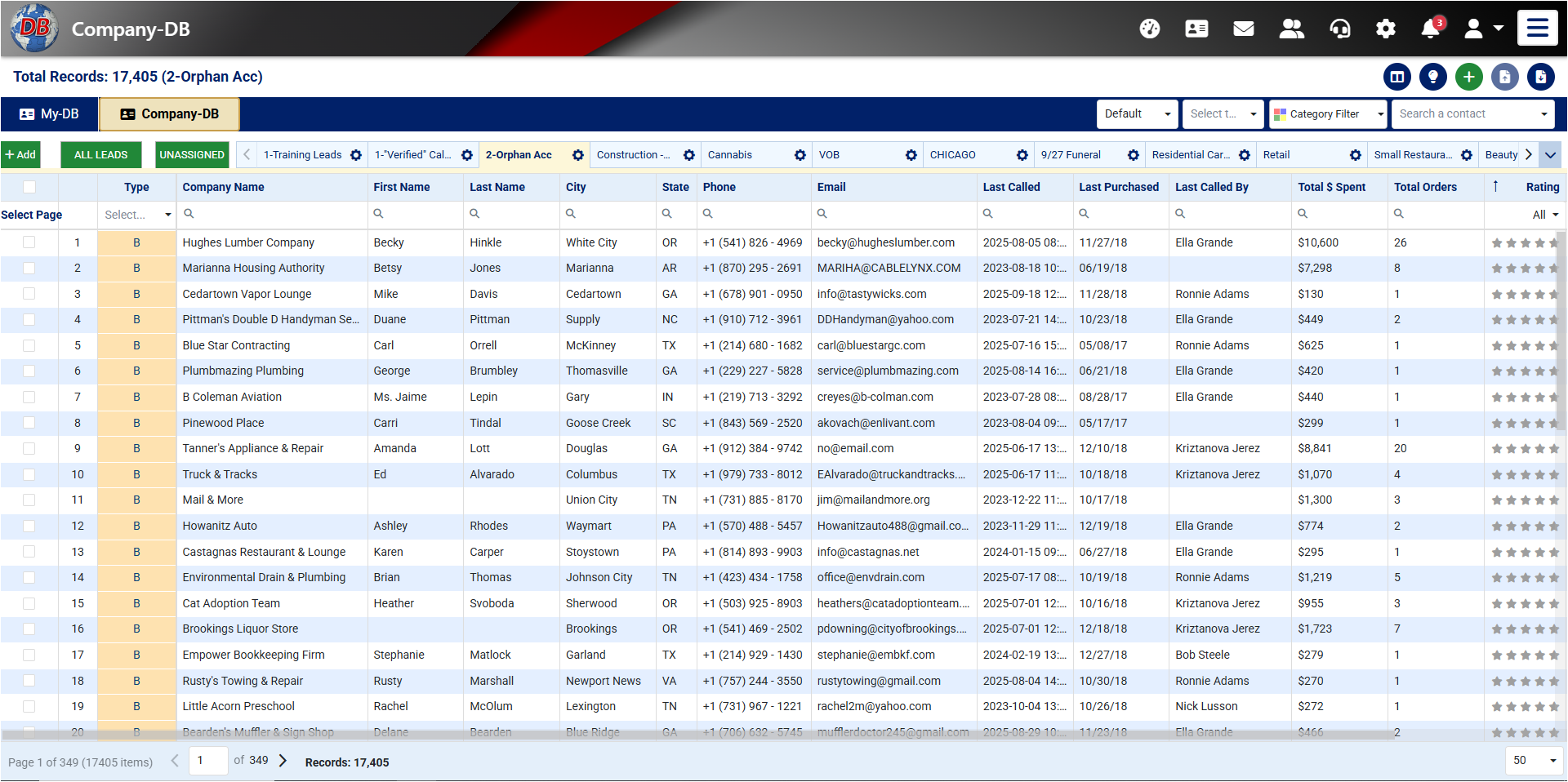


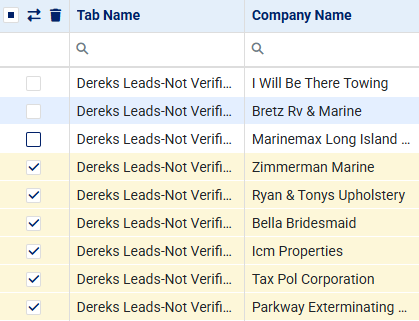
- Tabs for Every ListSplit your data by campaign, industry or city — training leads, orphan accounts, Chicago, retail.
- Filters and SearchSwitch views, filter by category and find any contact from the search box.
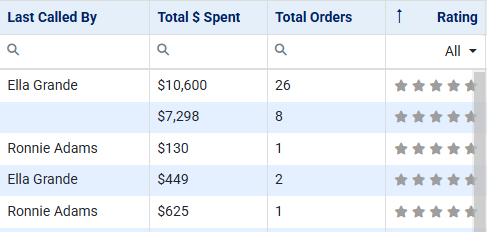
- Your Own DataUpload your lists and keep your own fields — last called, who called, total spent, orders and a rating.
Click-to-Dial, Record, Research, Edit Data from One Screen
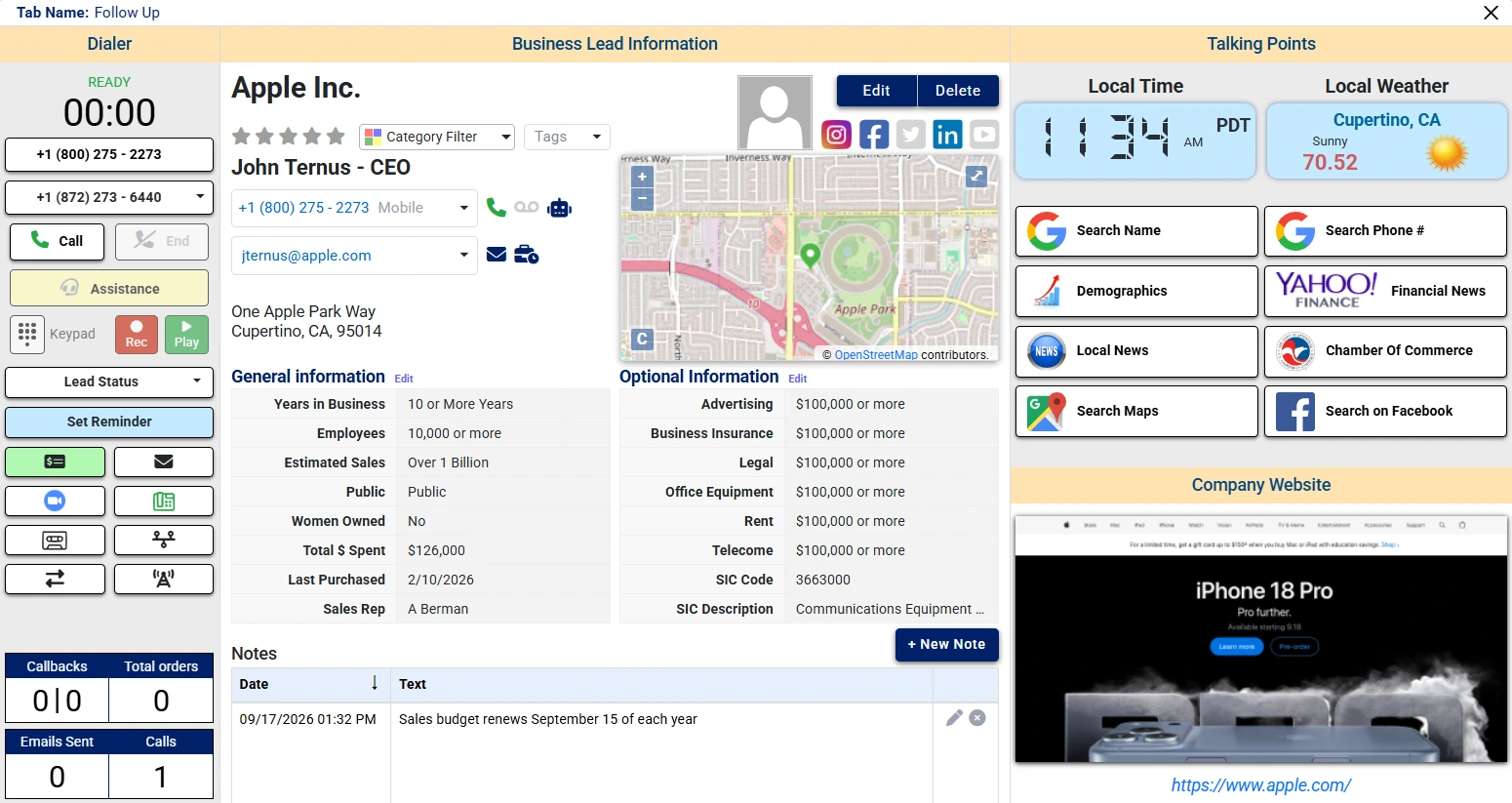
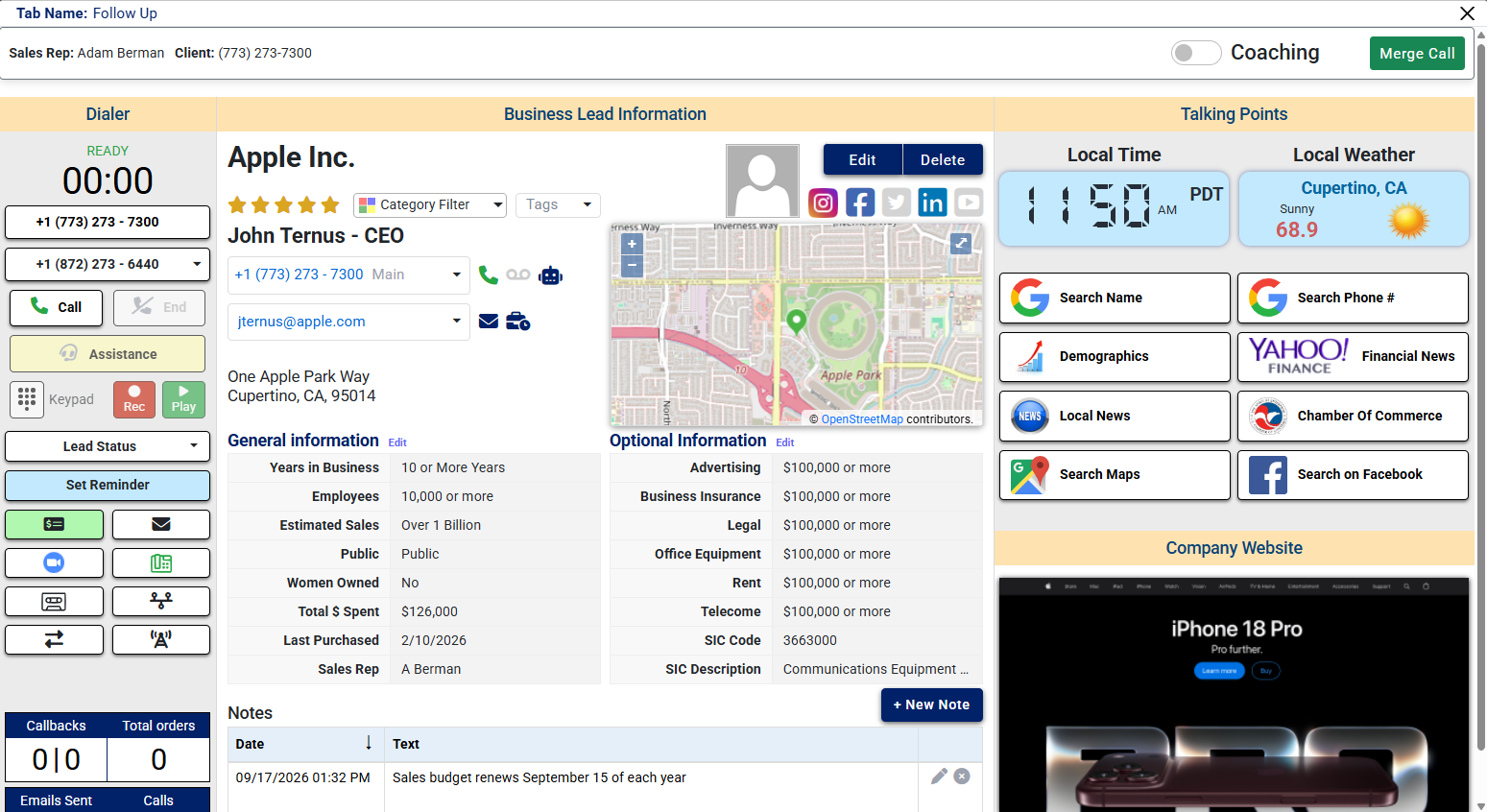
Click-to-dial with call recording on the left, the full business record in the middle, and talking points with one-click research on the right — so the next call starts prepared.
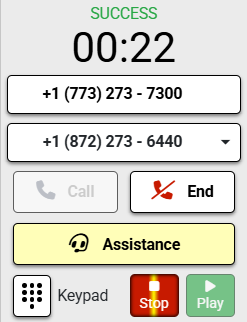
- Click to Dial, with RecordingCall, end, record and play back from the dialer, with reminders and lead status beside it.
- The Whole RecordCompany, contact, general and optional information, and dated notes in one place.
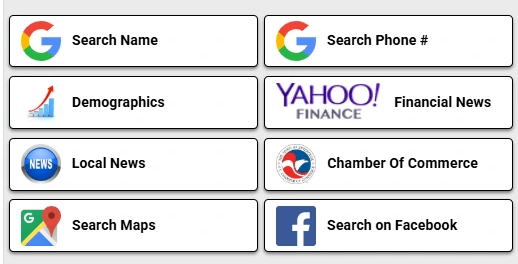
- One-Click ResearchLocal time and weather, plus Google, Yahoo Finance, Chamber of Commerce, Maps and Facebook.
Zoom Invites, Straight from the Lead
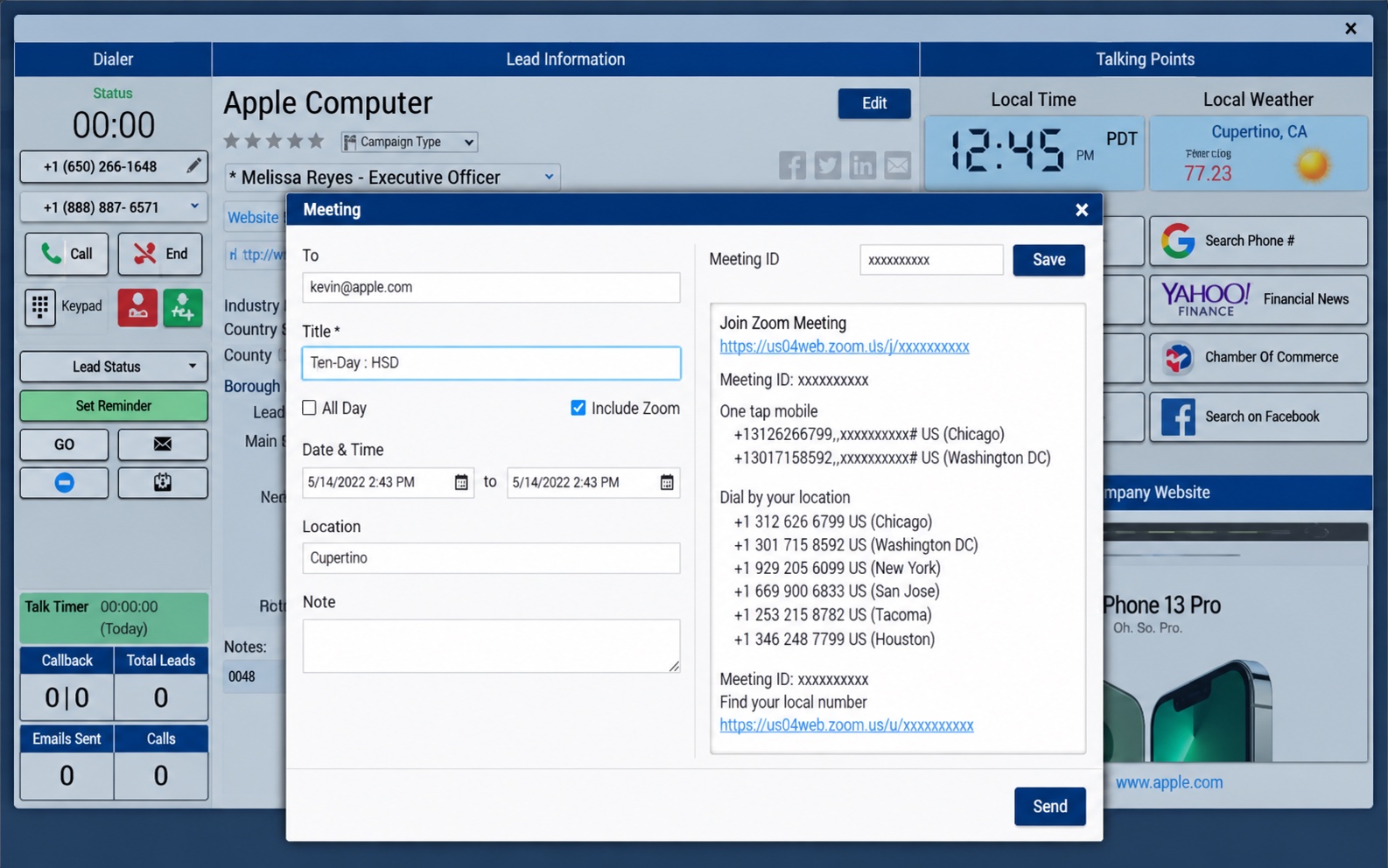
Schedule the meeting directly from the lead you're already working. Tick Include Zoom and the join link, meeting ID and dial-in numbers go into the invite for you.
- Invite from the LeadTitle, date, time, location and a note, sent from the dashboard.
- Zoom Details AddedThe meeting link and dial-in numbers are written into the invite.
- Clients Just JoinThey open the link in their invite and the call starts.

Manage Your Entire Team and Accounts with Ease
Invite new users, set security options, manage their accounts, and company credits all from one admin screen.
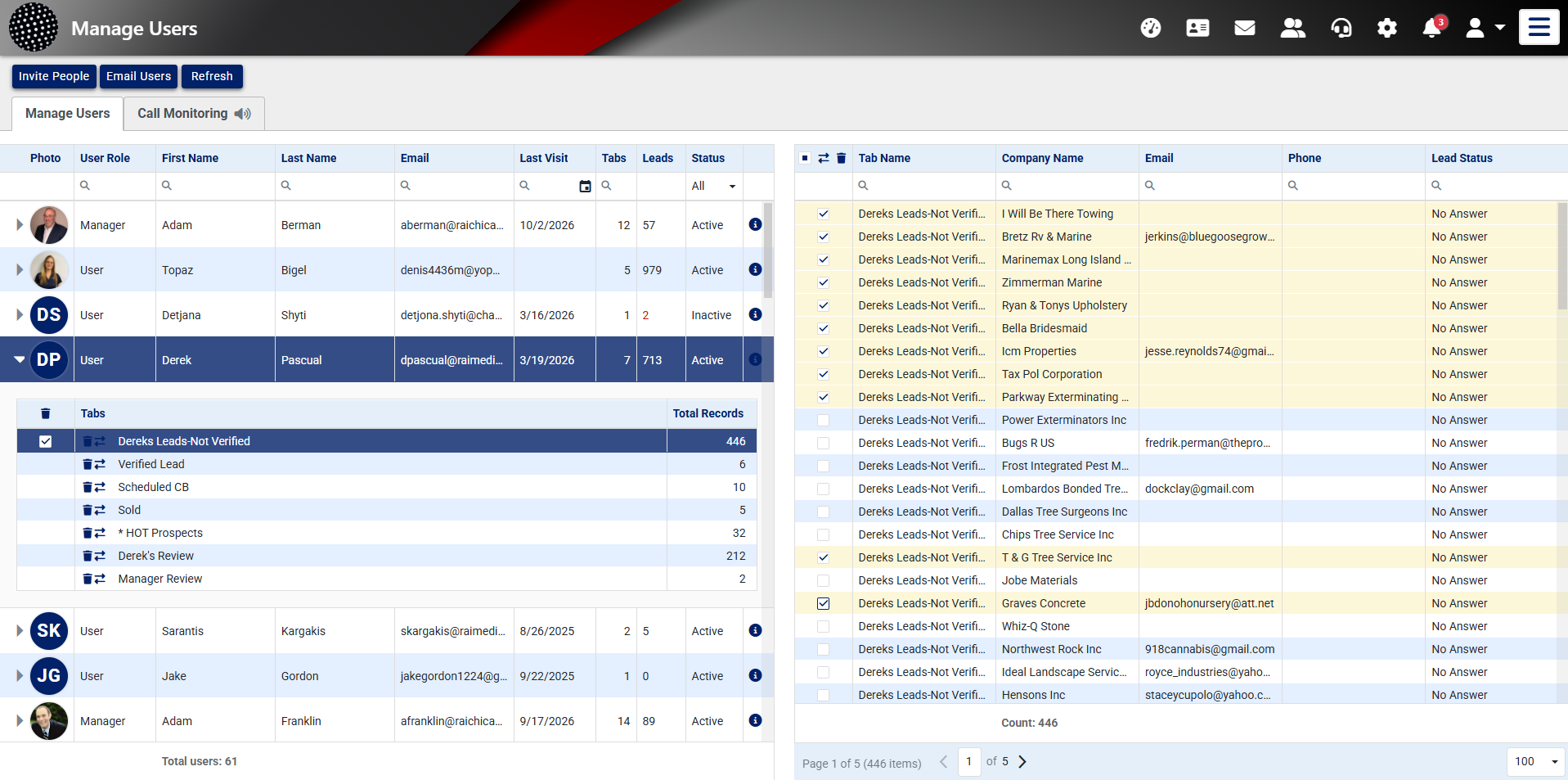
- Invite and Email UsersAdd people to the account and message the whole team from the same screen.
- Credits and MinutesCompany credits and dialer minutes are always on show.
- Call MonitoringListen in on your reps from the Call Monitoring tab.
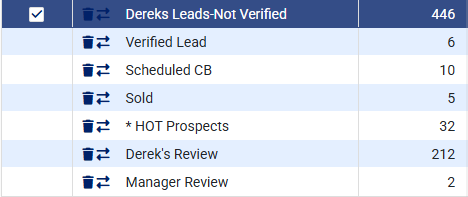
- Leads PoolSee each rep's tabs and record counts, and move leads between them.
Caller Monitoring, Coaching, Assistance, and Live Transfers
Train your Sales and Administrative team in real-time for better performance.


- Call MonitoringSee a rep's live call, with the client's number, from your own screen.
- Whisper CoachingSwitch on Coaching to guide the rep while the call is still going.
- Merge CallJoin the conversation when the call needs you on the line.
- AssistanceReps call for help mid-call with one button on the dialer.
Review Team Productivity & Review Calls
Monitor your team’s productivity real-time, daily, and weekly. Track calls, email, sales, review their calls, even emulate user’s accounts.
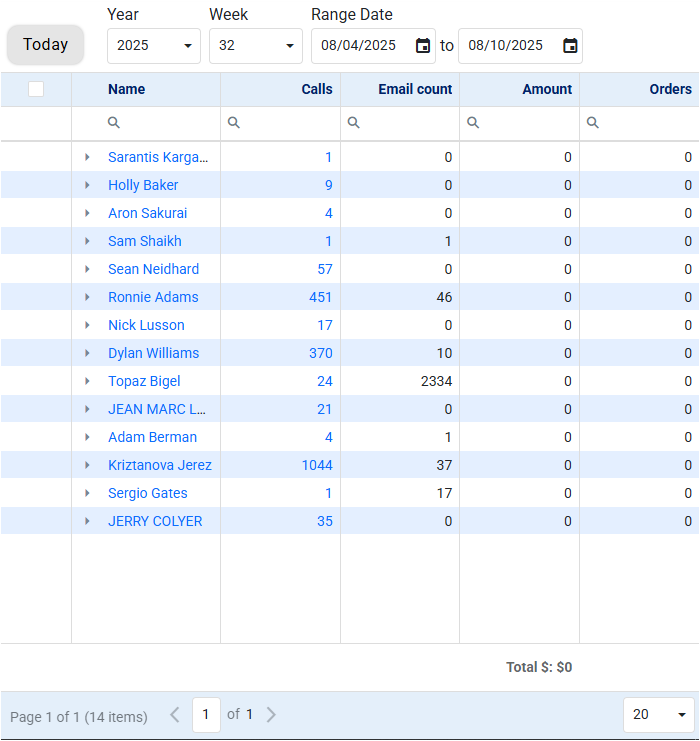
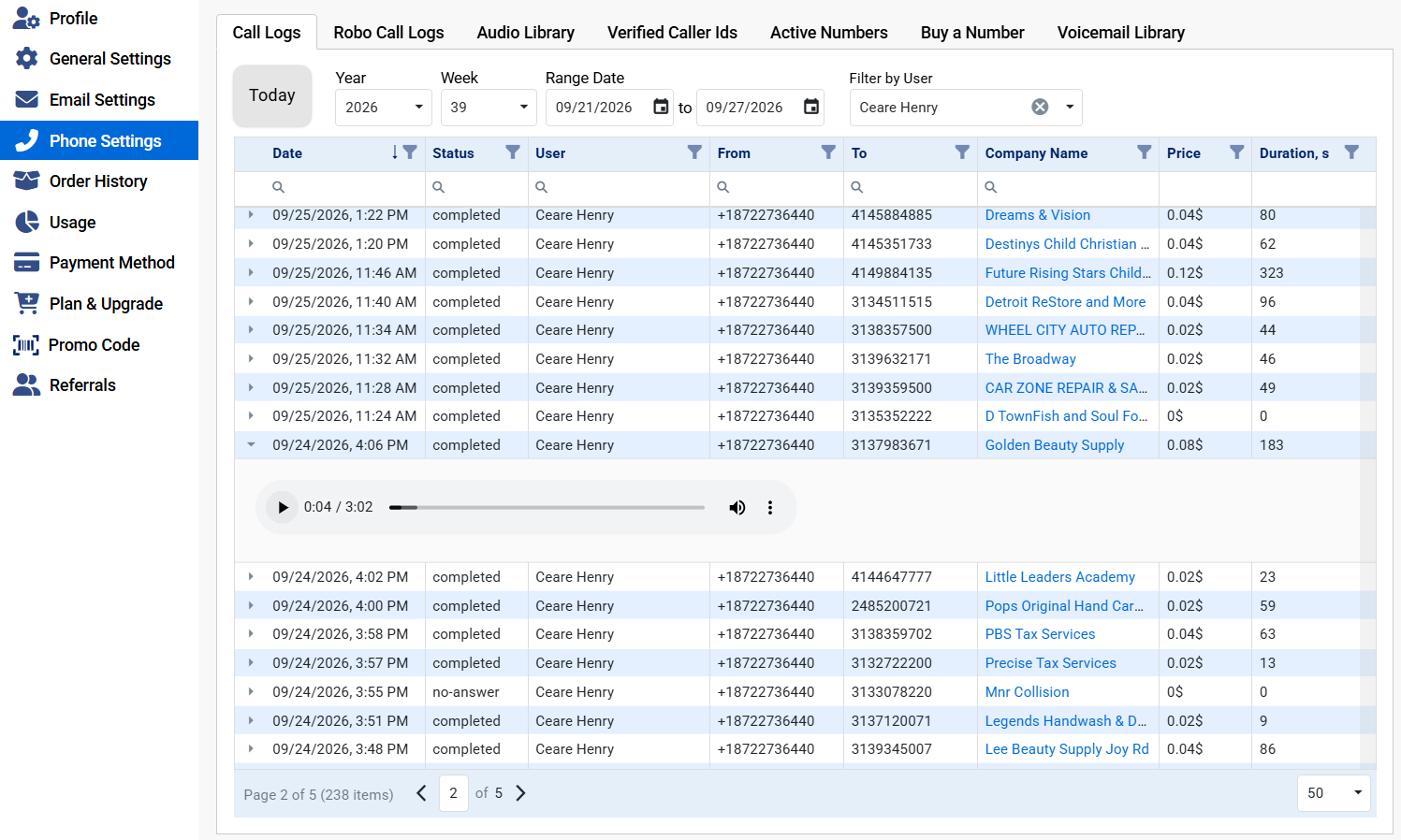
- Any PeriodJump to today, choose a year and week, or set your own date range.
- Activity per RepCalls and emails side by side for everyone on the team.
- Results, Not Just EffortAmounts and orders next to the activity, with the period's total at the foot.
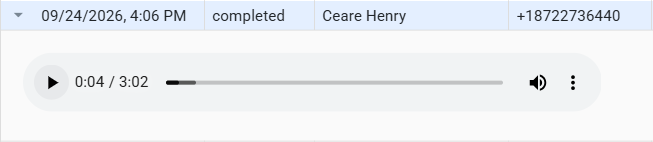
- Call ReviewEvery call logged with its status, company, price and duration, filtered by rep.
Your Data Is Never Held Hostage
One of the biggest problems with the other CRMs on the market — beyond the price tag and the complexity — is how little control you have over data that took your team time and money to build. Cancel your service and it can be effectively held hostage, or simply unreachable without an active subscription. We do the opposite and hand you the keys.
- Download and back up your own data with a built-in tool
- Take it whenever you want it, as often as you want it
- Client notes and sales history come with it, not just contacts
- Administrators keep full control of users and access levels
All These Advanced Features Included at No Extra Charge
Simple to use, easy to understand.
Communication
Every way you reach a prospect, in one place.
- Click to dial calling
- Automatic call recording
- Email and two-way SMS
- Auto voicemail library
- Local Presence calling
- Integrated video conferencing email invitations
Sales Management
The day-to-day work of running a pipeline.
- Simple lead management
- Customizable data fields
- Talking Points functionality
- Customizable KPI dashboard
Team & Training
Coach a rep mid-call, not after the fact.
- Real-time call monitoring
- Whisper coaching
- Real-time agent call transfer
- Customer profile popup when transferred
Data & Integration
Your pipeline stays yours, and connects to what you run.
- Import and export all your data
- Custom integration with API access
- Shareable data for your team
- Safe and secure platform
Support & Terms
A person on the phone, and no contract to sign.
- Live customer support when you need it
- No long-term contract or commitment
- Pay as you go with 30-day cancellation
- Scales with your business
A Productive CRM Shouldn’t Cost A Fortune.
Start your 7-day free trial today and see the difference.
Start 7-Day Free TrialNo long-term commitment required